How to Choose the Best Transparent LED Display?
Choosing the right Transparent Led Display means balancing visibility, image quality, and the building behind the screen. There is no universal winner. A storefront facing afternoon sun needs different performance from an indoor atrium viewed at close range. The OAAA’s 2023 Out of Home Advertising Revenue Report recorded $9.1 billion in U.S. out-of-home advertising revenue. This figure is not specific to transparent LED, but it shows the scale of investment in public-facing digital media. Careful specification matters.
Before comparing prices, define viewing distance, installation location, and the content people will see. Pixel pitch affects image detail and viewing comfort; a finer pitch can also raise the cost. Transparency percentage needs careful interpretation, too. It does not guarantee readable content or an unobstructed view through every installation. Ask suppliers for measured specifications, not just headline figures. Check brightness in the actual lighting conditions, cabinet weight, power use, heat management, refresh performance, and access for maintenance. Request a sample video or on-site test when possible. Small details matter. A beautiful daytime demo may look very different behind sunlit glass. I would not judge a product by transparency alone; that is an easy number to compare, but not the whole experience. This guide explores the practical questions that help buyers choose a display suited to their site, budget, and long-term operating needs.
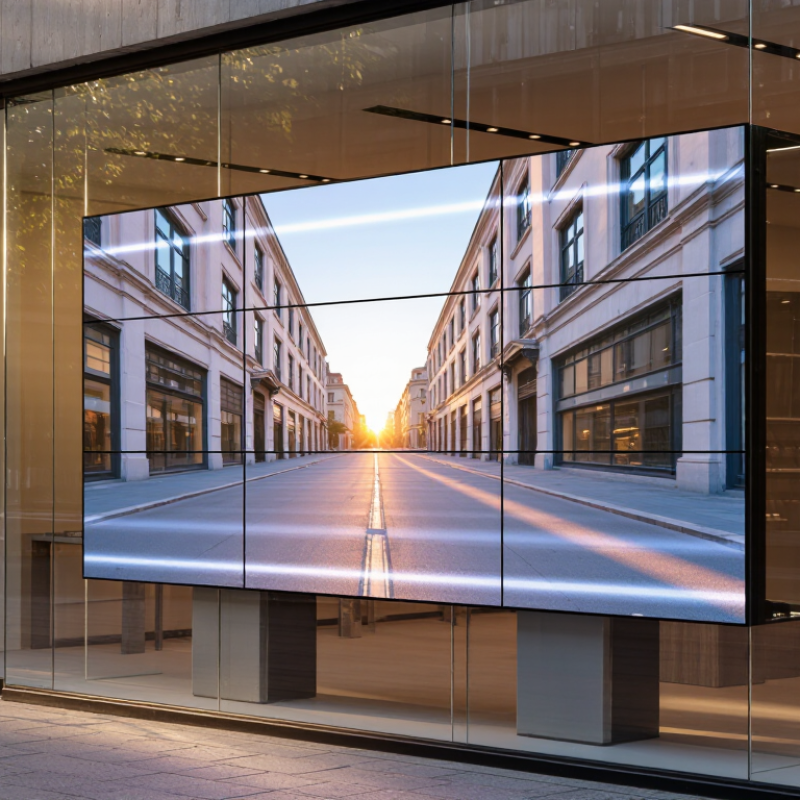
Identify the Display’s Purpose and Viewing Requirements
Before comparing transparent LED displays, define the job the screen must do. A shop window may need to show prices and motion graphics while keeping products visible behind it. A lobby screen might prioritize clear announcements across a larger viewing area. These uses call for different content, layouts, and levels of detail. Be specific about what viewers should notice.
Then map the viewing conditions. Measure the usual distance, the viewing angles, and the amount of daylight hitting the glass. A screen viewed from a few steps away needs finer detail than one viewed across a wide atrium. Bright sunlight can wash out content, while excessive brightness may feel uncomfortable indoors. That detail matters. Check whether people will watch from inside, outside, or both, since reflections and sightlines can change the experience.
If possible, test sample content at the actual site before choosing a display. Use the intended font size, colors, and motion—not just a dramatic demo clip. Ask staff to read a short message from the expected viewing distance. A common planning mistake is focusing on transparency alone. It can look impressive in a specification, yet small text may remain hard to read. Even careful measurements cannot predict every reflection, so leave room to reassess after an on-site test.
Compare Transparency, Brightness, Pixel Pitch, and Image Quality
Choosing a transparent LED display means balancing visibility through the glass with a clear, readable image. Transparency ratings can look impressive on paper, but framing, wiring, and nearby reflections affect the finished view. Check a sample against the actual window, with daylight behind it and interior lighting switched on. A perfect spec sheet can still disappoint.
Brightness should suit the installation, not simply reach the highest number. Sunlit storefronts often need more output than indoor partitions, while excessive brightness can cause glare after dark. Pixel pitch matters too: finer pitch gives sharper detail at close viewing distances, but usually raises cost. Stand at the expected viewing point and inspect text, faces, and moving video. There is no neat winner; a full-size mock-up may change your decision.
Tips: Ask for brightness data and viewing conditions, then compare samples in the space where the display will operate. Check color consistency, contrast, and motion for flicker or blur. Use the same video content on each sample. Small text is a useful test, though it may not reflect every real-world use. Reconsider the choice if the image looks washed out or blocks too much of the view.
Evaluate Control Systems, Compatibility, and Safety Standards
How to Choose the Best Transparent LED Display?
Evaluate Control Systems, Compatibility, and Safety Standards
A transparent LED wall is only as dependable as its control chain. Check that the processor supports the required refresh rate, grayscale depth, and pixel mapping. Then test it with the actual media server, cables, and content formats—not just a showroom demo. AVIXA’s 2024 Industry Outlook and Trends Analysis forecast global professional audiovisual revenue at $325 billion in 2024, rising to $402 billion by 2029. That growth reflects increasingly connected installations, but more equipment also means more compatibility checks. Ask for a signal-flow diagram and confirm how the system behaves after a power interruption. Small detail. Big difference.
Safety deserves the same scrutiny as image quality. Verify electrical and fire-safety documentation against IEC 62368-1, and check electromagnetic compatibility requirements for the installation environment. For outdoor or dusty locations, confirm the specified ingress-protection rating; do not assume “weather-resistant” means suitable for every site. Review heat output, cable routing, mounting loads, and access for maintenance. A bright display can still be a poor choice if it traps heat behind glass or blocks an exit route. Have qualified installers review local building and electrical requirements. One honest caveat: published specifications rarely capture glare from nearby windows, so test a sample panel at the real viewing angle and time of day.
Transparent LED Display Compatibility: Interface Link Rates
Compare maximum specified link rates when checking whether a display’s control system and video source can support the required signal.
How to use this: Higher link rates can provide more headroom, but actual resolution and refresh rate depend on the full signal chain, including the source, processor, cables, and display. Values shown are maximum specified link rates, not usable video payload. Also verify the control system’s supported interfaces and check applicable electrical and installation safety requirements, such as IEC 62368-1 and local regulations.
Compare Total Costs, Warranty, and Supplier Support
A transparent LED display’s price is only the first line of its cost. Compare the full installation: mounting, control equipment, electrical work, calibration, cleaning access, and future module replacement. A low quote can hide expensive custom brackets or a difficult service route. Ask suppliers to price the same screen area, brightness, pixel pitch, and operating hours. Then request a five-year cost sheet, including spare parts and labor. Small omissions matter.
Check warranty terms line by line. Does coverage include labor, shipping, power supplies, and dead-pixel thresholds? How quickly will replacement modules arrive? The U.S. Department of Energy’s solid-state lighting guidance cites 25,000–50,000 hours as a common LED product lifetime range. Treat that as a component reference, not a promise for a complete display; heat, dust, and continuous high brightness can change real-world performance. Get the supplier’s repair-time commitment in writing. Vague promises are not support.
Supplier capability matters after installation. Ask for a named service contact, remote diagnostics, local technician coverage, and documented spare-part availability. AVIXA’s Industry Outlook reports track ongoing growth in professional audiovisual services, but market growth alone does not prove that one supplier can support your site. Request references for comparable installations and ask what failed, how long repair took, and what it cost. Be specific. A test visit is useful, though it may not reveal every weakness. I would still compare the warranty exclusions twice.