

What Are Bluetooth Smart Glasses and How Do They Work?

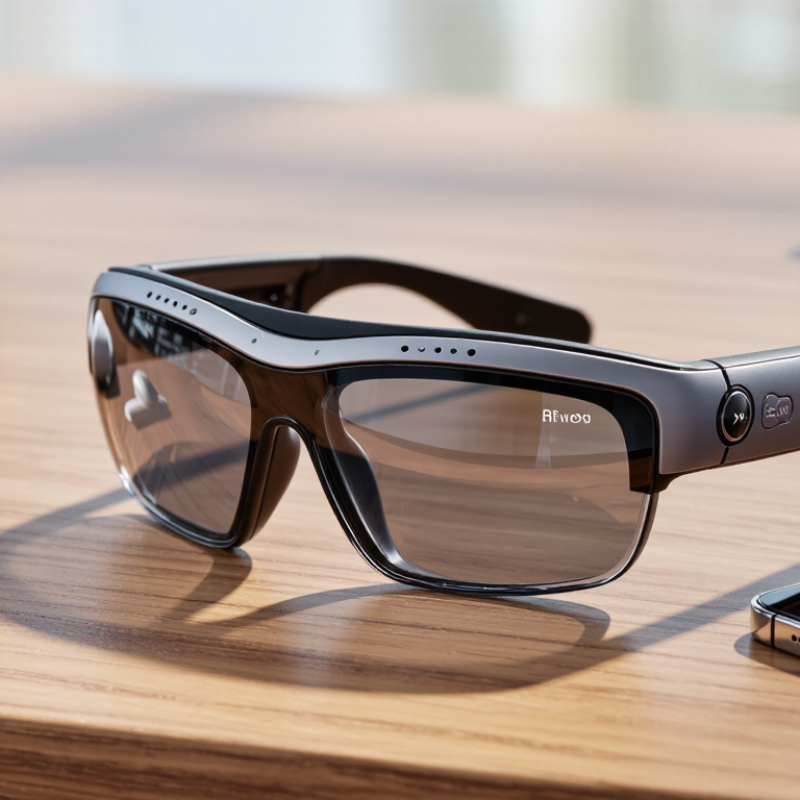
Bluetooth Smart Glasses combine familiar eyewear with wireless audio, microphones, sensors, and sometimes small cameras. They connect to a smartphone through Bluetooth, much like wireless earbuds. A user can hear navigation prompts, answer calls, or control music without holding a phone. The experience feels subtle. A voice prompt may arrive while walking through a station, and open speakers may leave surrounding sounds audible.

Behind the frames, several components work together. Bluetooth carries audio and control signals between the glasses and a paired device. Tiny microphones capture speech, while directional speakers send sound toward the ears. Some models include touch controls, motion sensors, or voice assistants. Their companion apps manage settings, firmware updates, contacts, and battery information. Performance depends on Bluetooth stability, phone compatibility, software quality, and the surrounding environment.

They are useful, but not magical. Battery life may shorten during frequent calls or high-volume playback. Wind can reduce microphone clarity, and open speakers may struggle in crowded streets. Privacy also deserves careful attention, especially when recording features exist. Responsible manufacturers should explain data practices clearly and provide visible recording indicators where applicable. Personal testing matters because comfort, prescription compatibility, and control placement vary between users. Independent reviews and official technical documentation offer stronger evidence than promotional claims. This article examines how Bluetooth Smart Glasses function, what their internal parts do, and where their practical limits become noticeable. Some features sound impressive on paper. Daily use can be different.
What Are Bluetooth Smart Glasses and How Do They Work?

What Bluetooth Smart Glasses Are: Wearable Computers with Wireless Audio

Bluetooth smart glasses are wearable computers built into familiar-looking frames. They use Bluetooth to connect with a phone, tablet, or computer. A tiny processor manages sound, controls, and basic sensor data. Built-in speakers send audio toward the ears without covering them. Microphones support calls, voice commands, and short recordings.

In practical use, the glasses can play navigation prompts during a quiet walk. A tap on the frame can pause music or answer a call. The phone still handles most demanding tasks, including internet access and advanced applications. This makes the glasses convenient, but not fully independent. Audio quality also changes with wind, traffic, and the frame’s position. Open-ear sound feels comfortable, though nearby people may hear faintly.

Privacy requires careful attention. Microphone indicators, permission settings, and local laws should guide responsible use. Users should avoid recording people without proper notice or consent. Battery performance depends on call time, volume, temperature, and wireless signal strength. Charging may become a daily habit. I find the hands-free design useful, yet voice controls sometimes misunderstand quiet speech. That small failure can interrupt an otherwise simple task. Celestial-looking frames may seem futuristic, but their real value comes from reliable audio and sensible controls.

Core Components: Bluetooth 5.x, Microphones, Speakers, Cameras, and Sensors

Bluetooth smart glasses combine a familiar frame with a small wireless computer. Bluetooth 5.x carries calls, controls, and audio between the glasses and a phone. Bluetooth SIG’s 2023 Market Update forecasts 7.6 billion Bluetooth device shipments annually by 2027. That scale supports wider component availability, but it does not guarantee reliable glasses.

Microphones capture speech through tiny openings near the hinges. Beamforming can reduce street noise, though wind still causes problems. Speakers usually sit near the ears, leaving users aware of traffic and nearby voices. A camera can capture images or video, while motion, light, proximity, and head-position sensors trigger hands-free functions. Grand View Research projects strong growth for the smart-glasses market through 2030, yet its category includes different devices and use cases. Market figures need careful reading.

Tips: Test microphone clarity outdoors, not only in a quiet room. Check speaker leakage at normal volume. Ask whether the camera has a visible recording indicator. Sensors may misread fast head movements. I have found that comfort often matters more than technical specifications after several hours. Battery life also depends heavily on camera use, calls, and continuous sensor tracking. A lighter frame may feel better, but smaller batteries can shorten daily use. That trade-off remains easy to underestimate.

What Are Bluetooth Smart Glasses and How Do They Work? - Core Components: Bluetooth 5.x, Microphones, Speakers, Cameras, and Sensors

Core Component Primary Function Typical Technical Characteristics How It Works in Smart Glasses Common Applications Practical Considerations
Bluetooth 5.x Connectivity Provides wireless communication between the glasses and a smartphone, tablet, or computer. Operates in the 2.4 GHz band; supports improved connection reliability and power efficiency compared with earlier Bluetooth generations. Bluetooth Low Energy is commonly used for control and status data. The glasses pair with a host device to receive audio, send microphone data, exchange commands, and synchronize settings. Wireless calls, music playback, voice assistants, notifications, device controls, and firmware updates. Actual range, latency, battery life, and supported features depend on antenna design, software, interference, and the connected device. Bluetooth 5.x alone does not guarantee every optional feature.
Microphones Capture the wearer’s voice and surrounding sound. Usually miniature digital or analog microphones; multiple microphones may be arranged for noise reduction and directional voice pickup. Audio signals are processed by the glasses or the connected device. Beamforming and noise-suppression algorithms can help isolate speech from background sound. Hands-free phone calls, voice commands, audio recording, accessibility functions, and conversational interfaces. Wind, traffic, crowds, and the open design of many glasses can reduce voice clarity. Microphone permissions and recording indicators may be required for privacy.
Open-Ear Speakers Deliver audio without fully covering or sealing the ear canal. Small speakers are integrated into the temples or near the ears. Acoustic ports and directional placement are used to send sound toward the ears. Compressed audio received through Bluetooth is converted into an electrical signal, amplified, and reproduced by the speakers. Music, podcasts, navigation prompts, calls, alerts, and spoken notifications. Sound leakage and reduced clarity in noisy environments are possible. Safe listening practices remain important, especially near traffic or machinery.
Cameras Capture still images or video from the wearer’s viewpoint. May include a compact image sensor, lens, processor, storage buffer, status indicator, and wireless transfer capability. Camera-equipped models are not universal. Light passes through the lens to the image sensor, where it is converted into digital data and processed or transferred to a paired device. First-person photos, short videos, visual documentation, remote assistance, and computer-vision features. Image quality depends on sensor size, lens, lighting, stabilization, and processing. Visible recording indicators, consent, and local privacy laws are important.
Inertial Sensors Detect movement, orientation, and changes in head position. Commonly based on an accelerometer and gyroscope; some designs also use a magnetometer. Sensor readings are combined through motion-processing software to estimate gestures, rotation, and movement patterns. Head-gesture controls, screen interaction, activity tracking, orientation-aware audio, and motion-triggered functions. Sensor fusion improves responsiveness, but accuracy can be affected by calibration, magnetic interference, rapid motion, and software algorithms.
Touch and Physical Controls Allow the wearer to operate key functions without reaching for a phone. May include capacitive touch surfaces, buttons, switches, or gesture-sensitive controls. A touch, tap, press, or swipe is converted into a digital command, such as changing volume or answering a call. Play and pause, volume adjustment, call control, camera activation, and voice-assistant access. Gloves, rain, accidental touches, and limited control space can affect usability. Physical switches can also provide a clearer privacy or power state.
Ambient-Light and Proximity Sensors Detect environmental brightness or whether the glasses are being worn. Ambient-light sensors measure surrounding illumination; proximity or wear sensors can use optical or capacitive detection. The system uses sensor readings to automate functions such as power management, playback control, or display brightness where supported. Automatic sleep and wake behavior, battery conservation, brightness adjustment, and wear detection. Dark lenses, strong reflections, unusual fit, and changing outdoor conditions can influence sensor readings.
Processor and Memory Manage audio, sensor input, camera data, wireless communication, and system software. Includes a low-power system-on-chip, temporary working memory, and non-volatile storage for firmware and selected user data. Firmware interprets inputs, applies digital signal processing, controls peripherals, and communicates with companion applications. Noise reduction, gesture recognition, image processing, power management, and device configuration. More processing capability can enable advanced features but may increase heat, weight, complexity, and energy consumption.
Battery and Power Management Supply energy to the wireless radio, processor, microphones, speakers, cameras, and sensors. Uses a compact rechargeable lithium-based battery, charging circuitry, voltage regulation, and power-saving firmware. Power-management software reduces consumption during idle periods and allocates energy according to active features. Portable operation, automatic sleep modes, battery-status reporting, and rechargeable daily use. Camera use, high speaker volume, weak wireless connections, calls, and cold temperatures can shorten operating time. Battery capacity is limited by the frame size and weight.

Note: Smart-glasses features vary by design. Some models focus on audio and hands-free controls, while others may add cameras, motion sensing, or display-related hardware.

Bluetooth 5 Specifications: 2-Mbps PHY, 4× Range, and 8× Broadcast

What Are Bluetooth Smart Glasses and How Do They Work?

Bluetooth smart glasses combine miniature speakers, microphones, sensors, and a battery inside a wearable frame. They connect wirelessly to a phone or computer for calls, navigation prompts, audio, and voice controls. The glasses receive digital signals through Bluetooth, then convert them into sound near the ears. Microphones capture speech and send it back through the same wireless link.

Bluetooth 5 introduced a 2-Mbps PHY for faster low-energy communication. PHY means the physical radio layer. In suitable conditions, this mode can shorten audio-control transmission time and reduce delays. However, 2 Mbps does not guarantee 2 Mbps of real application speed. Protocol overhead, interference, and device design still matter.

Bluetooth 5 also supports up to four times the range through coded PHY options, especially in open spaces with fewer obstacles. Its broadcast capacity can reach eight times the earlier limit through extended advertising. This helps glasses discover accessories or share small data packets more efficiently. The numbers sound impressive. Real performance varies.

A wall, a crowded transit station, or a poorly placed antenna can weaken the connection. Battery limits also influence how often the glasses scan, listen, and transmit. In practice, I would test glasses during walking, calls, and outdoor use rather than trust specifications alone. Marketing figures describe possibilities, not daily certainty.

LE Audio and LC3: Comparable Quality at 50% of SBC’s Bitrate

What Are Bluetooth Smart Glasses and How Do They Work?

LE Audio and LC3: Comparable Quality at 50% of SBC’s Bitrate

Bluetooth smart glasses combine tiny speakers, microphones, batteries, and wireless radios inside a familiar frame. They receive audio from a phone, then convert digital signals into sound near the ears. Microphones can also capture calls, voice commands, or surrounding noise. The experience feels simple. The engineering is not.

LE Audio changes the efficiency equation. The Bluetooth Special Interest Group reports that the LC3 codec can deliver comparable perceived quality at about 50% of the bitrate used by SBC. For example, a stream near 32 kbps may approach the quality of a 64 kbps SBC stream under suitable conditions. Lower bitrate means fewer transmitted bits, which can reduce radio activity and potentially extend battery life.

That benefit matters in glasses. Their batteries are small, often hidden inside the temples, and exposed to heat from the user’s head. Bluetooth qualification materials describe LC3 as supporting scalable rates, helping devices balance clarity, latency, and power consumption. Independent codec evaluations published through European telecommunications research also show that speech quality depends heavily on packet loss, microphone placement, and background noise.

Real rooms are messier.

A busy street can still overwhelm miniature speakers. Open-ear designs also leak sound and provide limited bass. My practical concern is battery testing: laboratory savings may shrink during calls, sensor use, or unstable connections. LC3 is promising, but firmware tuning and acoustic design remain equally important.

Real-World Limits: Battery Life, Privacy Risks, and Bluetooth Security

Bluetooth smart glasses connect to a phone through Bluetooth, then stream calls, music, and voice commands through small speakers. Built-in microphones may support hands-free controls. Battery performance varies widely. Continuous audio, calls, and sensors can drain a small battery within one working day. Cold weather and maximum volume shorten it further. Bluetooth SIG’s 2024 Market Update projects 5.4 billion Bluetooth device shipments in 2028. That scale does not guarantee comfort. Charging cases help, but they add weight and another object to lose.

Privacy is less visible than battery drain. Microphones may capture nearby speech accidentally, while location data can build a detailed routine. A voice recording, contact list, or notification can reveal more than intended. Verizon’s 2024 Data Breach Investigations Report found human involvement in 68% of breaches. Bluetooth is not automatically private. Weak pairing, outdated firmware, or a forgotten connected phone can expose sessions. NIST Special Publication 800-121 Revision 2 recommends authenticated pairing, encryption, and regular updates. The practical weakness is often convenience. Automatic reconnection is easy to underestimate.

Tips: Keep firmware current and disable discoverable mode after pairing. Review microphone permissions monthly. Use a strong phone lock and remove lost glasses from Bluetooth settings. Avoid pairing in crowded public spaces. Battery claims are usually laboratory estimates, not promises. I still think real-world testing should include calls, cold weather, and a full day outside.